
ORAL INTERVIEW RECORDING EQUIPMENT NEEDS
| This document, prepared by Dr. M. Iannozzi (2016) is based on Natalie Schilling’s Sociolinguistic Fieldwork (2013). It is a procedural document detailing how to record an oral history interview. |
1. The recording device
- Must be stereo
- Must use batteries, as in AA, or common batteries. A built-in battery pack is unreliable, cannot be helped if an opportunity arises and its battery is dead, and if the pack loses its charge over time with use, you have to usually purchase a whole new recorder
- Must be able to record in .wav files not .mp3
- .wav files are uncompressed, meaning they are essentially as natural as possible. This also helps to ensure that their format will be around for a long time. .mp3 has been around for a couple decades, but it is a type of compression, and may fall out of fashion like cassettes. Whereas, .wav files are just the sound files as they are, and so should be compatible far into the future
- Minimum 16-bit sampling and 44khz
- This essentially has to do with how recording works digitally. A recorder that is digital does not capture sound “live”. This of the analogy of watching a film. When we see something live, we see “all of it”. Whereas, when we watch a film, it appears to be a fluid piece of video, but in fact, it is actually hundreds of frames (snapshots ) taken in rapid succession. Recorders work in much the same way. The bit sampling is how many frames per millisecond. 16-bit is considered acceptable, but the absolute minimum for acceptable for high-quality audio. The 44khz is the “height” of the sound recorded that humans can hear.
- Must NOT be a solid-state recorder, must record onto an SD or ideally an SDHC card
- Recording onto a solid-state means that if the device fails, or breaks, or whatever, the recordings are lost; whereas if the device holds an SD card then there is no issue (other than having to replace the recorder, but at least the recordings are safe). An SD card also allows the audio to be uploaded to most computers; whereas, a solid-state recorded directly onto the device requires software for the computer that downloads the recordings
- Must have a display that shows recording levels, and an adjustable input volume
- During recording, it is important to be able to see the sound levels. If you notice bars that are too low, “maxed out” at the top, or appear to not be moving in sync with speech then you should pause and make sure everything is working well.
2. A cloth or napkins
- The recorder will sit on the table in front of the interviewee. Placing the microphone on a hard surface may pick up reverberations. To avoid this, put a cloth underneath, to lift up the front end of the recorder. Also, interviewees might hit a table to make a point, tap their fingers, etc., so a cloth underneath will cushion the sound of any blow.
3. A scanner wand (such as Magic Wand)
- This is something that is absolutely fantastic to have in general, and essential for recording people who have treasured objects, that need to be copied. Although a large, full-size scanner would provide a better scan, scanner wands are small and produce very good quality scans simply by running the wand over the image, document, etc. Again, it is important to not have a solid-state saving method. It must save onto a micro-SD or some other way that is not only stored on the wand.
- This is also essential for scanning the consent forms. It is required ethics that the person interviewed be given a copy of their signed consent form.
4. Extra batteries (just always have them)
5. A camera
- The camera does not need a powerful zoom, as it will be used to take pictures of the interviewee and possibly, things in the room.
- The camera should not make a shutter noise to avoid distracting the interviewee.
- Again, never a solid-state, always an SD card.
- Ideally, one that runs on regular/rechargeable batteries (such as AA), so that you can always carry spares
6. A notepad and Pen
- This is useful for writing down key details that are spoken or shown, that will not be conveyed during playback of the audio
- In particular, this is useful when scanning or listening to a description of who is in a picture, or the content, etc.
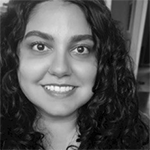
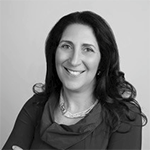
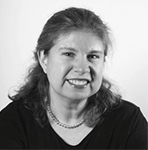
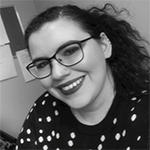
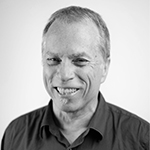
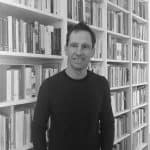
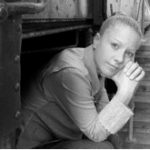 Carrie-Ann Smith est titulaire d’une maîtrise en bibliothéconomie et sciences de l’information de l’Université Dalhousie à Halifax. Elle est devenue membre de la Pier 21 Society à l’été 1998 et occupe actuellement le poste de Device-President, Public Engagement Officer au Musée canadien de l’immigration du Quai 21. Mme Smith (ne vous fiez pas à son nom de famille) est un descendant de Federico et Mabli Artuso de San Martino di Lupari; elle a écrit une histoire sur sa vie de jeune italo-canadienne grandissant à Sault Ste. Marie, Ontario, paru dans Mamma Mia: Good Italian Girls Talk Back (ECW Press). L’objectif de Mme Smith de travailler au Musée, qui est d’aider à recueillir, préserver et faire connaître les souvenirs des immigrants qui sont venus au Canada, la motive également à contribuer au travail de l’ICAP.
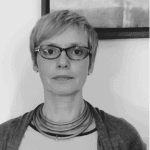 Sandra Parmegiani enseigne les études italiennes et européennes à l’Université de Guelph et a été présidente de la Société canadienne d’études italiennes (juin 2014 à juin 2017). Dans le passé, elle a enseigné la littérature et la langue italiennes au Trinity College de Dublin (Irlande) et à l’Université de Western Ontario. Ses recherches portent sur la littérature et la culture italiennes du XVIIIe siècle et de la période contemporaine. Depuis 2013, grâce à une bourse obtenue de Mitacs, elle encadre des travaux postdoctoraux sur la cartographie des ressources culturelles immatérielles par l’analyse de la culture de la lecture.
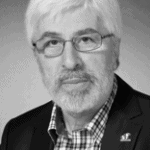 Gabriel Niccoli est titulaire d’un doctorat. en littérature comparée de l’Université de la Colombie-Britannique et professeur émérite d’études médiévales et d’études françaises et italiennes à l’Université St. Jerome, affiliée à l’Université de Waterloo. Il y a dirigé le département pendant dix-sept ans et a reçu le Distinguished Professor Award. Il a publié de nombreux ouvrages sur la théorie dramatique italienne et française des XVIe et XVIIe siècles et sur les écrivaines italiennes de la Renaissance. Il a édité un volume intitulé Ricordi et publié des essais sur des études liées à l’immigration italo-canadienne. Il édite actuellement un recueil d’essais critiques sur le thème du nostos, ou du retour à la maison après un long voyage. Le professeur Niccoli a reçu des honneurs en Italie et au Canada et a été vice-consul honoraire d’Italie en Ontario. Il est très actif comme animateur et promoteur culturel au sein des communautés italo-canadiennes de la côte ouest et de l’Ontario.
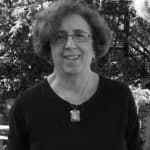 Nancy Marrelli est archiviste émérite à l’Université Concordia et archiviste du nouveau Centre d’archives de la Communauté italo-canadienne du Québec. Elle est co-éditrice de Vehicule Press, une maison d’édition montréalaise. Elle participe activement aux activités professionnelles d’archivage au Canada, aux États-Unis et à l’international; ses travaux et publications en français et en anglais portent sur le droit d’auteur, la conservation, le patrimoine du monde de la danse, divers aspects de l’histoire de Montréal et les archives audiovisuelles. Elle a animé de nombreux ateliers et conférences et anime actuellement une série de webinaires en français et en anglais sur le droit d’auteur pour le Conseil canadien des archives. Mme Marrelli travaille également dans les domaines de la création littéraire et de l’édition.
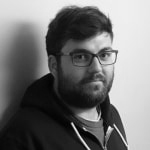 Michael Iannozzi est diplômé de l’Université Western. Ses recherches portent sur la documentation linguistique, la sociolinguistique et la sensibilisation du public. Il s’intéresse particulièrement au dialecte anglais du sud-ouest de l’Ontario et aux dialectes italiens des communautés italiennes du Canada. M. Iannozzi travaille avec Caroline Di Cocco pour documenter les histoires de vie de la communauté italo-canadienne de Sarnia, notamment par la numérisation de vieilles photos et bandes, et pour concevoir un site Web pour promouvoir ces morceaux uniques d’histoire. du Canada, un projet soutenu par les archives de Sarnia-Lambton. M. Iannozzi s’identifie autant à un Canadien d’origine italienne qu’à un Canadien d’une petite ville. Ses grands-parents paternels, nés à Castelliri (Frosinone) ont immigré à Sarnia en 1960. Ses grands-parents maternels, agriculteurs depuis 62 ans, fêteront bientôt leur 70e anniversaire de mariage. C’est un honneur pour M. Iannozzi de documenter et de préserver les histoires des Italo-Canadiens.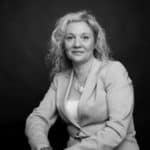
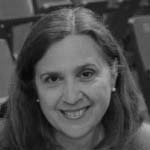 Antonella Fanella est née à Milan, en Italie, et a grandi à Calgary, en Alberta. Elle est titulaire d’un baccalauréat ès arts et d’une maîtrise ès arts en histoire de l’Université de Calgary. Pendant 25 ans, elle a été archiviste pour le Glenbow Museum et des établissements postsecondaires. Elle est actuellement consultante en archivistique spécialisée dans l’évaluation des archives, le développement des collections et la migration des documents électroniques. Mme Fanella a publié des ouvrages historiques, notamment With Heart and Soul: Calgary’s Italian Community et de nombreux articles.
 Cristina Caracchini est titulaire d’une maîtrise en littérature italienne de l’Université de Florence et d’un doctorat en littérature comparée de l’Université de Montréal. Elle est professeure agrégée de littérature italienne et comparée à l’Université Western Ontario (UWO) et vice-présidente de l’Association canadienne d’études italiennes (ACEI). Elle est l’auteur de Cognizione e discorso poetico (2009) et de plusieurs articles sur les écrivains italo-canadiens, et co-éditeur, avec Enrico Minardi, du volume Ilpensiero della poesia (2017). Avec des collègues du programme d’études italiennes, Mme Caracchini a organisé des événements communautaires parrainés par l’UWO et la communauté italo-canadienne à Londres, y compris la conférence nationale ICAP en 2016.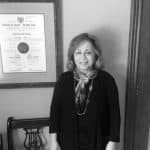
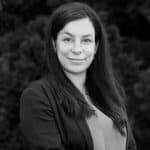
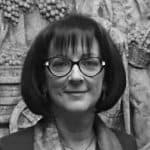
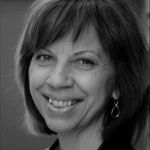 Secretario
 Dr. Pietro Pirani is an Assistant Professor in the Department of Languages and
  Maria Stella Paola, a recent retiree with 35
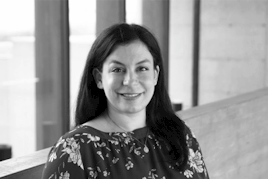
 Co-Chair