
Step by Step Guide
Introduction
Below is a step-by-step guide to conducting oral history interviews. It is adapted from a document prepared by Michael Iannozzi, based on Naomi Nagy’s HLVC project (2009), Western University Research Ethics protocols, and Natalie Schilling’s Sociolinguistic Fieldwork (2013).
Step 1: Find Participants
- Look for participants in your area. Send an email, modified based on a standardized template, to people you know, so they can forward it from there.
- Put up a standardized poster in coffee shops, community centres, and anywhere with a poster board.
- If there’s an Italian community event happening (a charity dinner, feast-day celebration, etc.) try getting in touch with someone so you can make an announcement, or have posters available.
- Make sure you have lots of copies of the documents used in your project, especially the Letter of Information. It helps you look professional, and shows that your research is going to be part of a large and meaningful project.
Step 2: Get Set Up For the Interview
- It is helpful if two people are present to do the interview. One can make certain the releases are properly filled in and signed, and work the technical equipment, such as scanning the photographs and taking a picture of the interviewee. Another person can conduct the interview without interruption.
- Choose a quiet place and be mindful of all the background noises that may be in the room such as a TV, ceiling fan, etc. The person who is conducting the interview should create a comfortable atmosphere, so that the interviewee will feel relaxed and a comfortable conversation can take place.
Step 3: Get Informed Consent
- The single most essential step to conduct any interview is consent.
- Click this link for a basic guide to consent and Consent Forms.
- Take the time to carefully explain the reason for the interview (collect and preserve the Italian-Canadian immigration phenomenon, urgent need to do this before it is lost, important to add this to the whole of the Canadian narrative). If appropriate, explain that materials will be placed in an archive accessible to the general public. Reassure the interviewee that before anything is published they will be advised and given a draft copy of anything pertaining to their information.
- Present the interviewee with the Letter of Information. Take the time to go through it carefully. Ensure they understand what will be done with the interview and any digitized documents and ephemera, including who will have access, where it will be available, etc.
- Present the interviewee with the Consent Form. Once they have signed it, and you have too, scan it right away, or take a photo if a portable scanner is not available. LEAVE the Consent Form with the interviewee. They must have a copy for their records.
- Recording must not begin before the Consent Forms have been signed. It is imperative that the person (or people) being interviewed is aware when the recorder is turned on, and that they are told when it is turned off—and that it is promptly turned off.
- You are now ready to begin the interview.
Step 4: Start Recording
- Make certain you record the interviewee’s name and maiden name in case of a married woman, place of birth, and date of birth.
- Place the recorder on the table facing the interviewee.
- Place a folded napkin or small cloth under the recorder to ensure that any vibrations do not affect the recording, such as hands hitting the table.
- Turn on the recorder, and tell the person that the recorder is now on.
- Ask them to count to ten.
- Stop the recorder and play back the recording to ensure it is capturing the sound well.
- During the recording, ensure you are keeping an eye on the sound levels the recorder is showing. If the participant moves from where they started the interview, adjusts their position, or suddenly becomes quieter, keep in mind that these things may affect whether the recording is audible.
- Ask the questions from your questionnaire.
- Feel free to add any questions as you go. The questionnaire is only meant as a guide to help you steer conversation if you struggle. Let the interviewee talk. Do not get through the questions just to get answers to them.
- If the interviewee wants to talk about something, as long as it is related to their experiences, let them drive the conversation. Remember: you are interviewing them; they are the subject.
- Try to keep the recorded conversation to around an hour, unless it is clear the interviewee isn’t getting tired.
- Keep in mind that interviews are tiring! They truly are. Most interview guides suggest no more than 2 a day for the interviewer, so for an interviewee, more than an hour is usually more than most people are comfortable talking at length.
Step 5: Ask About Digitizing (Optional)
- Toward the end of the interview, ask the interviewee if they have any photos, documents, cassettes, tapes, etc. they would like digitized.
- Explain to the interviewee that you are willing to digitize them so they are preserved. However, they do not have to give you permission to use them in a publicly-available archive, they can have them digitized just for their personal keeping.
- Explain to the interviewee that you will digitize anything they want, but you would like to use them in an archive. Ensure they understand they control what is put online. They don’t have to consent to any or all images or artifacts going online, or they can request images or artifacts not go online for 10 years, until the passing of someone, etc.
- Try to leave as much as possible there. Take as few materials outside the interviewee’s possession as possible. If an image can be scanned there, do that. If they are certain they are comfortable with you taking the material home, you will be able to make better digital copies, but do not presume the interviewee is comfortable with that.
Step 6: End the Interview
- Once you are done, ensure you have a small thank you for your interviewee’s time and effort. A nice card is perfect.
- Let the interviewee know you are turning off the recorder, and then do so.
- Immediately take the recorder, scanner and camera to where they are being stored. Upload the data/recordings/digitized materials immediately. Do not wait to do this. Valuable information can be lost in myriad ways, and you owe it to yourself for your effort, and to your interviewee for their time, to get the information uploaded as quickly as possible.
Step 8: Digitizing (Optional)
- Ensure you record the name of the person giving you the material to digitize. Ask them about each item (itmay be useful to start a second recording for this). Describe the photo or document a little so you can keep track when listening back later. Next, ask them who is in the photo, what it is, where it comes from, what it means to them, when it is from, etc.
- Anything you digitize becomes your responsibility. You are responsible for ensuring the privacy and safety of anything you take, and anything contained in those materials. Do not just digitize and upload.
- If it is a cassette or video, listen/watch it being digitized. Keep track with timestamps of anything that jumps out as something the person probably doesn’t remember is there, or if you have any doubt they’d be comfortable having this be public. Once digitization is complete, delete those parts before uploading.
- If it is an image or other visual material, removing sensitive information is even easier. Simply open Paint, or a similar program, open the image, and place a black bar over anything sensitive (passport number, international visa number, etc.), and resave it. This does not affect the cultural value of the object, so do not keep a copy of the original.
- It may also be nice, if they consent, to photograph the person being interviewed. If they are comfortable with it, it can help to conceptualize the recording for the listener. They can picture where the interview took place, and what the speaker looks like.
Images:
- Portable scanners are very mobile and wireless (such as the Epson ES-60). This is a vital tool. It will allow you to create quick and simple scans during an interview. This is especially useful for documents the other person is uncomfortable leaving with you. Portable scanners can usually create images of quite good resolution.
- Ensure your scanner is fully charged before each interview, and that you have a lot of storage available.
- Record images in the highest resolution possible (although above 1200 dpi is likely unnecessary).
- Record the images as .tif files if possible, as they are of the highest quality, and are not compressed.
- Practice with your equipment (camera, scanner and recorder), before going to an interview for the first time. It is essential you know how this equipment works or you’ll be wasting both your and the interviewee’s time.
VHS :
- This requires special equipment. Equipment, such as “VHS to CD” is available at most computer stores (Staples, Best Buy, etc.), and costs approximately $60. This equipment allows the user to put a tape in a VCR and capture the video on their computer. This equipment can also be used with camcorder tapes.
Cassettes:
- Using a tape deck is relatively easy with computers. You will need an audio-in cable—meaning a double-male audio cable. Plug one end into the tape deck, and one end into the microphone jack in your computer.
- Free software (such as Audacity) allows you to easily capture the audio.
- Simply press play on the tape deck and click record in Audacity.
- You should see waves in Audacity showing that audio is being recorded. You can also play the sound on your computer to ensure the volume levels are correct.
- Two tips:
- It is always better to keep the cassette volume lower and turn up the microphone volume in Audacity. Cassette players at high volume will distort in your computer.
- Cassettes usually have a shelf life of around 30-50 years. Keep this in mind. You want to handle these cassettes as little as possible. Once you have the audio levels set, do not touch the tape deck. You want to rewind as little as possible (and not at all ideally), and never fast forward. Record the entire cassette, both sides, and then the file can be edited afterward to remove dead air, gaps, etc.
Step 9: Follow Up
- There is a concept in fieldwork of all kinds called ‘gratuity’. What this means is that you return the graciousness of the person you have interviewed, who has given you their history, materials, or even just time, by doing what you can for them. One of the easiest ways of doing this is by burning a DVD/CD, etc containing the interview, all scanned documents and materials, all photos taken, etc.
- This can also be offered to the children or grandchildren of the interviewees as mementos and keepsakes. You are bearing witness to someone’s history, and that history may have never been told, at least not as a single narrative story, even to their family, so it is a lovely memento for the family to cherish.
- Check in with the interviewee in a couple days/a week after the interview. Thank them again for their time, and let them know that you are happy to provide them/their children with digital copies of everything. This will also provide you with a chance to return their materials if they gave you any to digitize.
- Finally, once the information is publicly available online, it may be nice, depending on how well you know the interviewee, to visit them again and show them what it looks like now that it is online. Show them other people on the archive, and show them how it all works. At the very least, you should let someone in their family know it is online, and where to find it.
Step 10: Safe Storage
- Ensure any data/recordings/digitized material etc. you collect is stored safely by following the Guide to Safe Storage Toolkit
 Carrie-Ann Smith est titulaire d’une maîtrise en bibliothéconomie et sciences de l’information de l’Université Dalhousie à Halifax. Elle est devenue membre de la Pier 21 Society à l’été 1998 et occupe actuellement le poste de Device-President, Public Engagement Officer au Musée canadien de l’immigration du Quai 21. Mme Smith (ne vous fiez pas à son nom de famille) est un descendant de Federico et Mabli Artuso de San Martino di Lupari; elle a écrit une histoire sur sa vie de jeune italo-canadienne grandissant à Sault Ste. Marie, Ontario, paru dans Mamma Mia: Good Italian Girls Talk Back (ECW Press). L’objectif de Mme Smith de travailler au Musée, qui est d’aider à recueillir, préserver et faire connaître les souvenirs des immigrants qui sont venus au Canada, la motive également à contribuer au travail de l’ICAP.
 Sandra Parmegiani enseigne les études italiennes et européennes à l’Université de Guelph et a été présidente de la Société canadienne d’études italiennes (juin 2014 à juin 2017). Dans le passé, elle a enseigné la littérature et la langue italiennes au Trinity College de Dublin (Irlande) et à l’Université de Western Ontario. Ses recherches portent sur la littérature et la culture italiennes du XVIIIe siècle et de la période contemporaine. Depuis 2013, grâce à une bourse obtenue de Mitacs, elle encadre des travaux postdoctoraux sur la cartographie des ressources culturelles immatérielles par l’analyse de la culture de la lecture.
 Gabriel Niccoli est titulaire d’un doctorat. en littérature comparée de l’Université de la Colombie-Britannique et professeur émérite d’études médiévales et d’études françaises et italiennes à l’Université St. Jerome, affiliée à l’Université de Waterloo. Il y a dirigé le département pendant dix-sept ans et a reçu le Distinguished Professor Award. Il a publié de nombreux ouvrages sur la théorie dramatique italienne et française des XVIe et XVIIe siècles et sur les écrivaines italiennes de la Renaissance. Il a édité un volume intitulé Ricordi et publié des essais sur des études liées à l’immigration italo-canadienne. Il édite actuellement un recueil d’essais critiques sur le thème du nostos, ou du retour à la maison après un long voyage. Le professeur Niccoli a reçu des honneurs en Italie et au Canada et a été vice-consul honoraire d’Italie en Ontario. Il est très actif comme animateur et promoteur culturel au sein des communautés italo-canadiennes de la côte ouest et de l’Ontario.
 Nancy Marrelli est archiviste émérite à l’Université Concordia et archiviste du nouveau Centre d’archives de la Communauté italo-canadienne du Québec. Elle est co-éditrice de Vehicule Press, une maison d’édition montréalaise. Elle participe activement aux activités professionnelles d’archivage au Canada, aux États-Unis et à l’international; ses travaux et publications en français et en anglais portent sur le droit d’auteur, la conservation, le patrimoine du monde de la danse, divers aspects de l’histoire de Montréal et les archives audiovisuelles. Elle a animé de nombreux ateliers et conférences et anime actuellement une série de webinaires en français et en anglais sur le droit d’auteur pour le Conseil canadien des archives. Mme Marrelli travaille également dans les domaines de la création littéraire et de l’édition.
 Michael Iannozzi est diplômé de l’Université Western. Ses recherches portent sur la documentation linguistique, la sociolinguistique et la sensibilisation du public. Il s’intéresse particulièrement au dialecte anglais du sud-ouest de l’Ontario et aux dialectes italiens des communautés italiennes du Canada. M. Iannozzi travaille avec Caroline Di Cocco pour documenter les histoires de vie de la communauté italo-canadienne de Sarnia, notamment par la numérisation de vieilles photos et bandes, et pour concevoir un site Web pour promouvoir ces morceaux uniques d’histoire. du Canada, un projet soutenu par les archives de Sarnia-Lambton. M. Iannozzi s’identifie autant à un Canadien d’origine italienne qu’à un Canadien d’une petite ville. Ses grands-parents paternels, nés à Castelliri (Frosinone) ont immigré à Sarnia en 1960. Ses grands-parents maternels, agriculteurs depuis 62 ans, fêteront bientôt leur 70e anniversaire de mariage. C’est un honneur pour M. Iannozzi de documenter et de préserver les histoires des Italo-Canadiens.
 Antonella Fanella est née à Milan, en Italie, et a grandi à Calgary, en Alberta. Elle est titulaire d’un baccalauréat ès arts et d’une maîtrise ès arts en histoire de l’Université de Calgary. Pendant 25 ans, elle a été archiviste pour le Glenbow Museum et des établissements postsecondaires. Elle est actuellement consultante en archivistique spécialisée dans l’évaluation des archives, le développement des collections et la migration des documents électroniques. Mme Fanella a publié des ouvrages historiques, notamment With Heart and Soul: Calgary’s Italian Community et de nombreux articles.
 Cristina Caracchini est titulaire d’une maîtrise en littérature italienne de l’Université de Florence et d’un doctorat en littérature comparée de l’Université de Montréal. Elle est professeure agrégée de littérature italienne et comparée à l’Université Western Ontario (UWO) et vice-présidente de l’Association canadienne d’études italiennes (ACEI). Elle est l’auteur de Cognizione e discorso poetico (2009) et de plusieurs articles sur les écrivains italo-canadiens, et co-éditeur, avec Enrico Minardi, du volume Ilpensiero della poesia (2017). Avec des collègues du programme d’études italiennes, Mme Caracchini a organisé des événements communautaires parrainés par l’UWO et la communauté italo-canadienne à Londres, y compris la conférence nationale ICAP en 2016.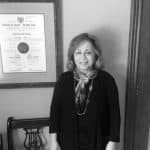

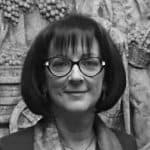
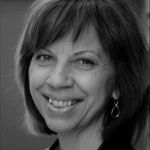 Secretario
 Dr. Pietro Pirani is an Assistant Professor in the Department of Languages and
  Maria Stella Paola, a recent retiree with 35
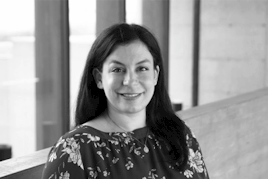
 Co-Chair